Create It · Building inspiration
A brick building game for your own ideas
A digital brick constructor starts with a simple question: what would you like to make? In Create It, you combine 3D parts, explore colours and save your own builds. You can play in a browser without installing an app, or use the Android version.
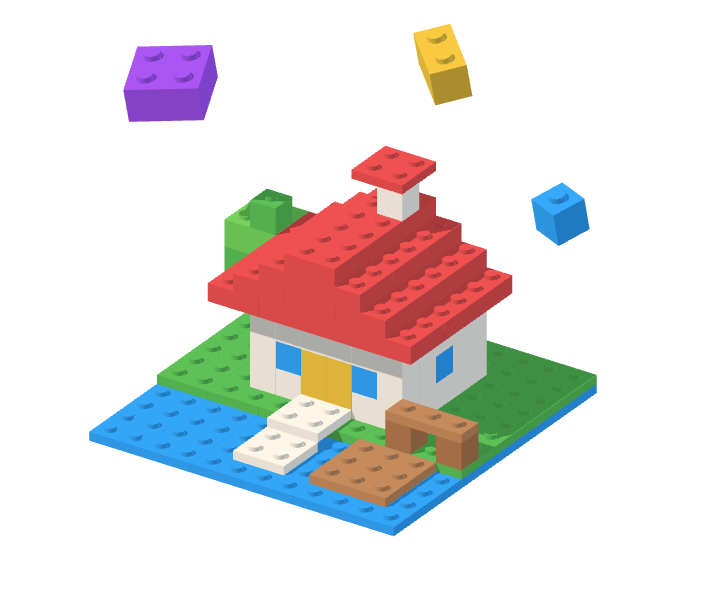
Start with a silhouette, not every detail
Choose something you can recognise from its outline: a little house, a tree or an animal. Make the base and main shape first. A house needs walls and a roof before it needs a flower by the door.
Turn the camera to check the model from another side. If it only makes sense from the front, adjust its depth or proportions before adding small details.
Let shape and colour do different jobs
Use the shape of the bricks to explain what an object is. Then use colour to separate its parts: walls from a roof, a trunk from leaves or a creature from its eyes. Start with two or three colours so the main idea stays easy to read.
Keep the parts connected as you build. Place a supporting piece before trying a wider roof or an overhanging detail. Experiment with a small model before expanding it.
Keep a version you want to return to
Save a build when its main idea works. Later, try a taller roof, a different colour palette or a second model in the same style. Your collection can record the ideas you tried, not just a single final result.
Parts and activities open up as you progress. Free building gives you room to experiment; themed duels against rivals add a constraint when you want a new challenge.
Browser or Android?
The browser game is a way to try Create It without downloading an app. The Android version is available on Google Play. Choose whichever fits how you want to play; this is a game with progression, not professional CAD software.